
Download HTTrack Website Copier Portable (64-bit) – download website, offline browser, website mirroring, free tool, portable software, web archive, website crawler, save web pages, mirror website, website backup
Overview
HTTrack Website Copier Portable (64-bit) is a free utility designed to help users download entire websites for offline access. This tool functions as an offline browser, enabling individuals to preserve and navigate web content locally, even in the absence of an internet connection. It is particularly valuable for researchers, students, and professionals who need reliable access to information in remote or low-connectivity environments. The application supports the creation of a complete mirror of a website, including all linked pages, images, scripts, and media, ensuring a fully functional local copy.
Users benefit from the ability to browse through the mirrored site just as they would online, maintaining the original navigation structure and interactivity. This makes it ideal for archiving educational resources, preserving digital content, or preparing materials for offline presentations. The software is especially useful in situations where web access is restricted, delayed, or unreliable. Its portability allows it to run without installation, making it convenient for use on shared or restricted systems.
Developed by HTTrack, the application has been available since 2013 and remains a trusted solution in the productivity category. While the developer did not provide additional technical details about the software’s architecture or update frequency, its long-standing presence in the digital tools ecosystem speaks to its reliability and ongoing relevance. The tool continues to serve as a practical solution for users seeking secure, offline access to web-based information.
Key Features & Functionality
- Complete Website Mirroring – HTTrack downloads entire websites, including all linked pages, images, scripts, and embedded content, creating a fully functional local copy that preserves the original site’s structure and navigation.
- Offline Browsing Capability – Once downloaded, users can access the mirrored site without an internet connection, enabling seamless navigation through pages, links, and media as if browsing online.
- Update and Resume Downloads – The software supports updating previously mirrored sites and resuming interrupted downloads, saving time and bandwidth by only fetching new or changed content.
- Flexible Configuration Options – Users can customize the download process, including selecting specific file types, setting crawl depth, and filtering content, making the tool adaptable to diverse use cases.
- Support for M3U and AAM Files – HTTrack can crawl playlist and media files in M3U and AAM formats, expanding its utility for downloading multimedia content from online sources.
- ZIP Compression for Downloads – The tool allows users to compress downloaded content into ZIP archives, simplifying file management, storage, and transfer across devices.
- Integrated Help System – An in-built guide assists users throughout the setup and usage process, reducing the learning curve for new or less experienced users.
For example, a student preparing for an exam can use HTTrack to mirror an educational website and study offline. A journalist working in a region with limited internet access can download news archives for reference. A researcher can preserve a website’s content before it undergoes changes or disappears entirely. These real-world applications highlight the tool’s practical value in information preservation and accessibility.
Interface, UX & Performance
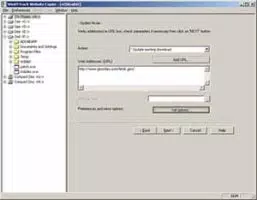
HTTrack Website Copier Portable (64-bit) features a clean, straightforward interface that balances simplicity with functionality. The layout is organized around core actions—starting a download, managing existing projects, and configuring settings—making the user experience intuitive for both beginners and advanced users. Navigation is linear and logical, with clearly labeled buttons and status indicators that provide real-time feedback during the download process.
Although the developer did not list formal performance metrics, the application is designed to operate efficiently on modern Windows systems. It maintains responsiveness even during large-scale downloads, with minimal impact on system resources. The software handles interruptions gracefully, allowing users to resume downloads without losing progress. Stability is maintained through robust error handling and retry mechanisms, ensuring consistent operation across different device categories.
Users can expect smooth performance when using the tool on mid-range to high-end Windows machines. The portable nature of the application means it does not require installation, reducing the risk of system conflicts. However, specific requirements were not listed, so performance on older or low-spec systems may vary. Overall, the interface prioritizes usability, with a focus on clarity and control, making it suitable for users who value precision and reliability in their digital tools.
Platform Compatibility & Technical Requirements
HTTrack Website Copier Portable (64-bit) is designed for the Windows platform and requires a 64-bit Windows operating system. The application has a file size of 22.9 MB, making it lightweight and easy to transfer across devices. It is distributed as a portable version, meaning it can run directly from a USB drive or local folder without installation.
The software version is 3.49-2, released on August 12, 2013. While the developer did not specify minimum OS requirements, the tool is compatible with modern Windows systems, including Windows 7 and later versions. Compatibility information was not fully disclosed, so users should exercise caution when deploying the software on older or less common configurations. No additional dependencies were mentioned, and the application operates independently once launched.
Pros and Cons
Pros
- Free to download and use with no licensing restrictions
- Enables complete offline access to websites
- Supports updating and resuming interrupted downloads
- Portable format allows use on any Windows system without installation
- Highly configurable for custom download needs
- Can compress output into ZIP files for easier management
- Intuitive interface with built-in help for new users
Cons
- Only available for Windows, limiting cross-platform use
- Version and release date are outdated (2013), raising concerns about long-term support
- Developer did not provide detailed system requirements or update frequency
- May not support modern web technologies like dynamic content or JavaScript-heavy sites
- No official mobile or web-based version available
FAQ
Is HTTrack Website Copier Portable (64-bit) safe to download and use?
Yes, the software is free and open-source, with a long-standing reputation in the digital preservation community. It does not contain malware or adware, and the developer has maintained its integrity over time.
Can I use this tool on Android or iOS devices?
No, HTTrack Website Copier Portable (64-bit) is only available for Windows. There is no official version for Android or iOS platforms.
Does HTTrack support websites with dynamic content or JavaScript?
HTTrack primarily downloads static content. Websites relying heavily on JavaScript or dynamic loading may not be fully mirrored, as the tool does not execute scripts during the crawl.
How do I update a previously downloaded website?
HTTrack allows users to re-crawl the same site and update existing files. The software compares the local copy with the live site and downloads only the changes, minimizing bandwidth usage.
Can I run HTTrack from a USB drive?
Yes, since it is a portable application, HTTrack can be launched directly from a USB drive or any local folder without installation.
Final Thoughts
HTTrack Website Copier Portable (64-bit) remains a powerful, no-cost solution for users seeking to archive and access websites offline. Its ability to mirror entire sites, resume interrupted downloads, and support ZIP compression makes it a practical tool for researchers, educators, and professionals who value data preservation and accessibility. While the software’s age and lack of modern platform support are notable limitations, its core functionality remains effective and reliable.
For individuals who need a secure, portable way to save web content, HTTrack delivers significant value. Its free nature and minimal system requirements make it accessible to a wide audience. Whether you're preparing for offline study, archiving digital content, or working in a low-connectivity environment, this tool provides a dependable method for saving web pages.
Download HTTrack Website Copier Portable (64-bit) now to start mirroring websites and taking control of your online information.


